Manage - Inquiries

Your EPK Inquiries. All in One Inbox.

Keep contact form submissions organized across your EPKs. Filter by artist, source, or status, star important messages, and turn new connections into CRM contacts.

One Place to Check

Review contact form submissions from your EPKs together in a dedicated inbox.

Focus Your View

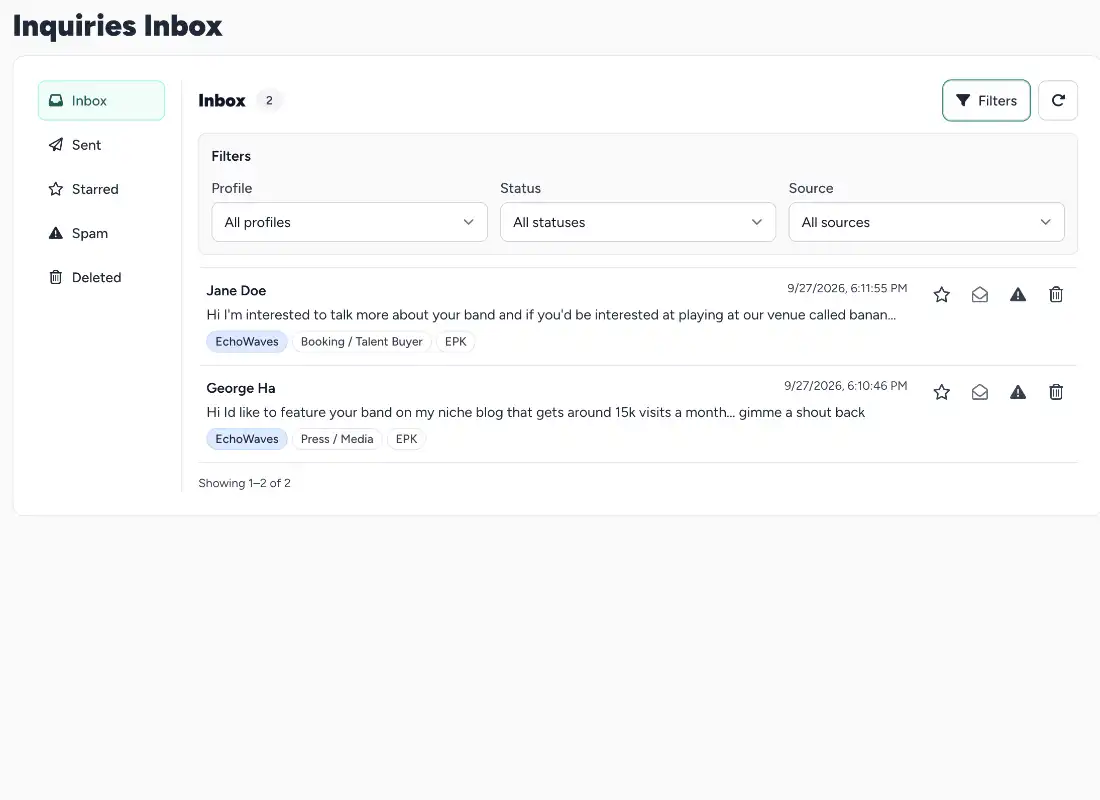
Filter by artist, source, or status to find the messages relevant to what you're working on.

Mark What Matters

Star important inquiries and keep unwanted messages separate in the spam folder.

Keep the Connection

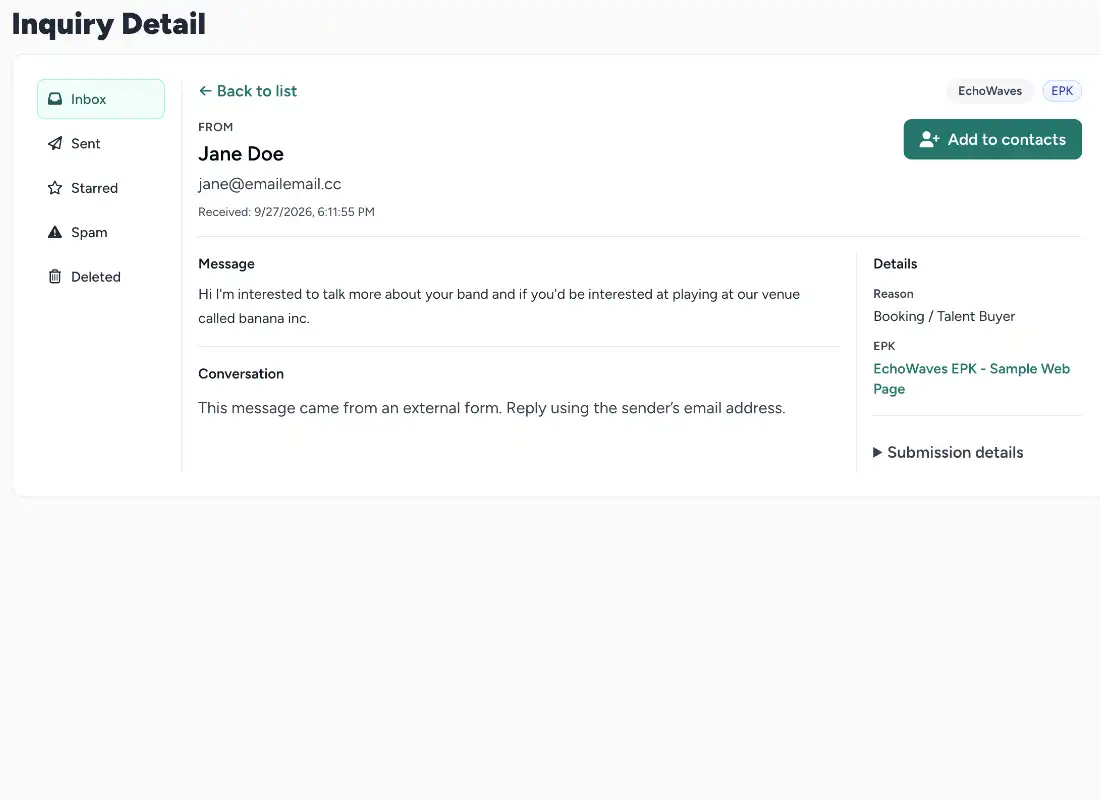
Convert an inquiry sender into a CRM contact without retyping their details.

A Clearer View of Who's Reaching Out

Simple tools to review, organize, and keep useful inquiries for one artist or the roster you manage.

Different EPKs. One Place for Their Inquiries.

Contact form submissions from your EPKs come together in the SongTakes inquiries inbox. Open a message to review what someone needs and see the sender's details alongside their inquiry.

Filter by artist, source, or status to narrow your view. Whether you're looking after your own act or several artists, you can focus on the messages you need without sorting through everything else.
SongTakes website builder preview

Keep Important Messages and Useful Connections.

Star an inquiry you want to return to and use the spam folder to separate unwanted messages. Keep your inbox focused on the conversations that deserve your attention.

When an inquiry introduces someone worth keeping in touch with, convert the sender into a CRM contact. Their details carry over, giving you a starting point for managing the relationship in SongTakes.

SongTakes website builder preview

Give Every Inquiry a Place to Land.

Keep your EPK messages organized and your next useful connection close at hand.

No credit card required to sign up.

Frequently Asked Questions

What appears in the inquiries inbox?

The inbox collects contact form submissions from your SongTakes EPKs. It gives you one place to review messages and sender details, including inquiries for the artists you manage.

Can I view inquiries for a particular artist?

Yes. Filter by an artist you manage to focus on their inquiries. You can also filter by source or status to narrow the list further.

Can I flag important messages?

Yes. Star messages you want to keep an eye on or return to later, so important inquiries are easier to recognize.

Is there somewhere for spam?

Yes. The inbox includes a spam folder so you can keep unwanted submissions separate from the inquiries you want to work with.

Can I save the sender as a CRM contact?

Yes. With CRM access, you can convert an inquiry sender into a contact without retyping their details. If their email already matches an existing contact, the add-to-contacts option isn't shown. Learn more about contact management.

Which plan includes the inquiries inbox?

The inquiries inbox is included in Starter, Pro Indie, and Management. CRM features are included in Pro Indie and Management. Visit the pricing page for plan details and current trial offers.