Manage - Contacts

Keep the Contacts. Remember the Conversations.

Organize the people and companies behind your music career. Turn inquiries into contacts and keep activity history close, so your next conversation starts with the context you need.

Find the Right Person

Keep names, email addresses, and roles together so useful contacts are easy to find again.

Connect People and Companies

Organize venues, outlets, labels, and agencies alongside the people you work with there.

Save the Introduction

Add someone from your inquiries inbox to your contacts without entering their details again.

Pick Up Where You Left Off

Review contact activity and add your own entries to keep a useful history of the relationship.

Contact Management Built for Musicians

Keep the people, organizations, and conversations behind your next opportunity in one place.

Know Who to Contact—and Where They Fit

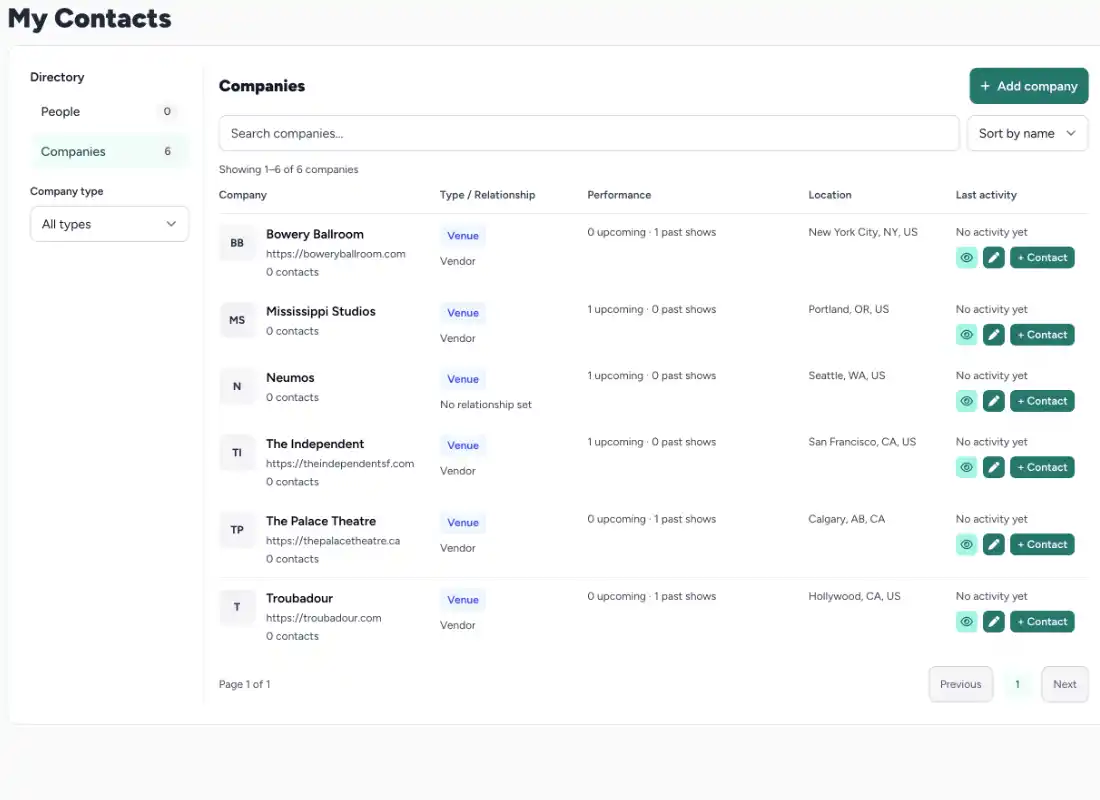
Add the people and companies you work with, from a venue's booking contact to a label, agency, or music outlet. Keep contact details and roles organized, and link people to the company they represent.

Build a contact list you can return to when planning a release, arranging a show, or starting a new conversation. Your relationships stay alongside the rest of your artist work in SongTakes.
SongTakes website builder preview

Turn an Inquiry Into a Contact Worth Keeping

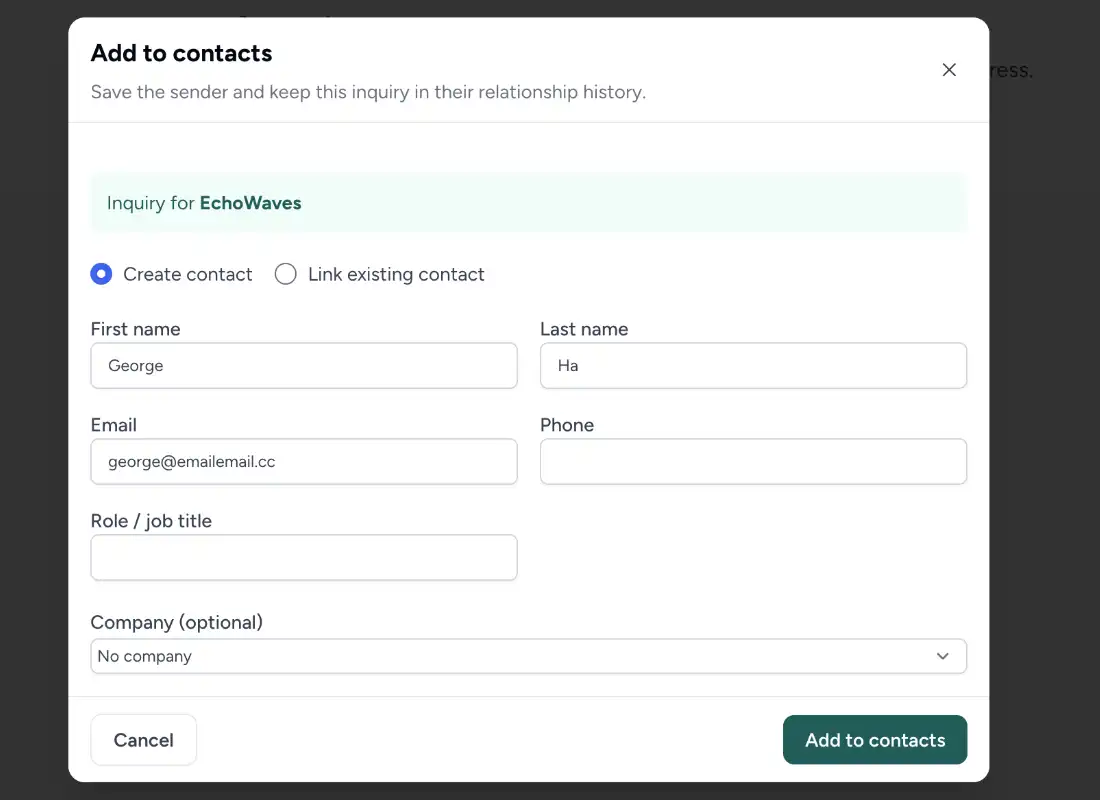
When someone reaches out through your SongTakes pages, you can review their message in the inquiries inbox and add them to your contacts. Their details carry over, saving you another round of copying and typing.

You choose which inquiries become contacts. If the sender's email already matches an existing contact, SongTakes recognizes that match instead of offering to add the same person again.

SongTakes website builder preview

Keep the Context Behind Every Connection

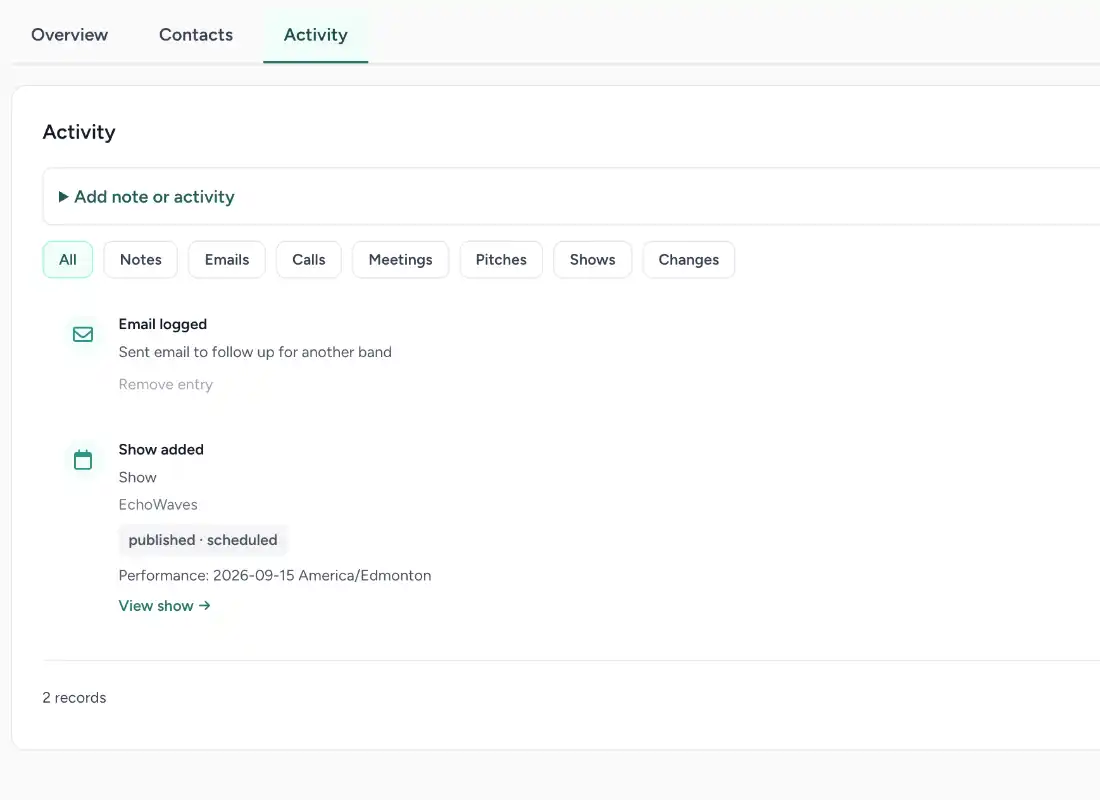
Contact activity logs give you a history to check before reaching out again. Review recorded interactions so you can remember what happened and what matters for the next conversation.

Add your own activity entries for calls, emails, notes, and other interactions. Whether a conversation happened online or after a show, you have somewhere to record the useful details while they're still fresh.

SongTakes website builder preview

Keep Your Next Conversation Moving.

Bring your contacts and activity history together and build on the connections you've already made.

No credit card required to sign up.

Frequently Asked Questions

What is a CRM, and why would an artist use one?

CRM stands for customer relationship management. In SongTakes, it's a place to organize your music industry contacts, the companies they work with, and your interaction history. It helps you keep useful connections and their context together.

What's the difference between a contact and a company?

A contact is a person, such as a booking agent or editor. A company is the organization they represent, such as a venue, agency, label, or publication. You can link contacts to companies to keep those relationships clear.

Can I add contacts myself?

Yes. You can add contacts and companies directly. They don't need to have contacted you through SongTakes first, so you can keep track of people you've met through shows, outreach, or other work.

How do I turn an inquiry into a contact?

Open the message in your inquiries inbox and use the add-to-contacts option. SongTakes carries the sender's details into the contact setup so you don't need to enter them again.

What if an inquiry comes from an existing contact?

If the sender's email matches a contact you already have, SongTakes doesn't show the add-to-contacts option. This helps avoid creating another record for the same email.

Can I add my own contact activity?

Yes. Add entries to record interactions such as calls, emails, and notes. Those entries become part of the contact's activity history, giving you a reference for future conversations.

Is my CRM the same as my fan mailing list?

They serve different purposes. The CRM organizes your working relationships and contact history. Your fan mailing list is for people who subscribe to updates. Adding a CRM contact is not the same as receiving permission to send them campaigns.

Which plan includes contact management?

Contact management is included in Pro Indie and Management. You can create an account without a credit card. Visit the pricing page for plan details and current trial offers.